- Mixpanel SDK + Autocapture: collect data automatically (minimal setup)
- Mixpanel SDK + Shopify Web Pixel: define your own customer events (robust, yet approachable setup)
Install Mixpanel SDK with Autocapture
Automatically collect customer events with minimal steps- Copy the Mixpanel SDK code snippet at the top of this guide
-
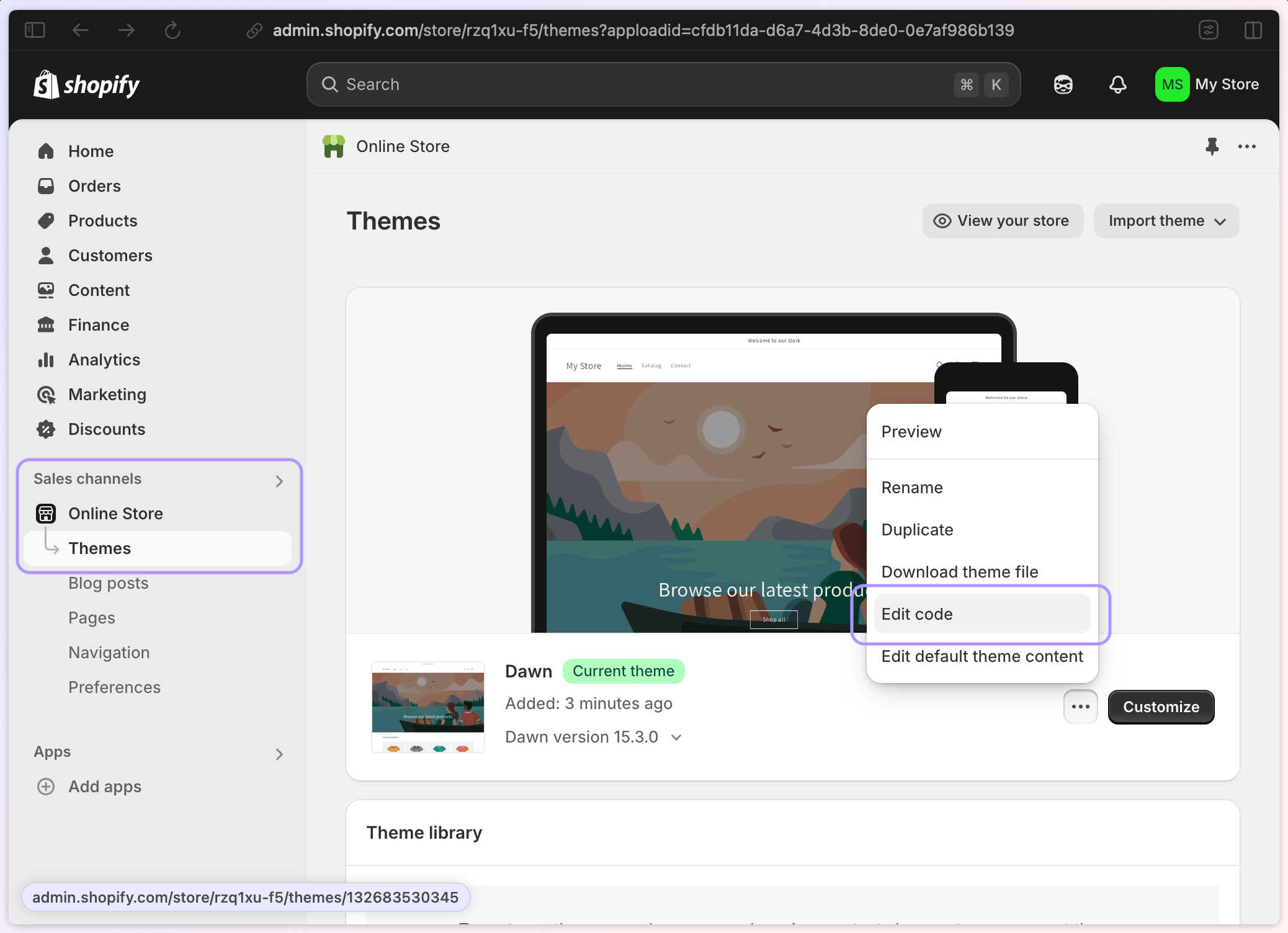
Go to your Store Dashboard > Sales Channels > Online Store > Theme and click “Edit code”
-
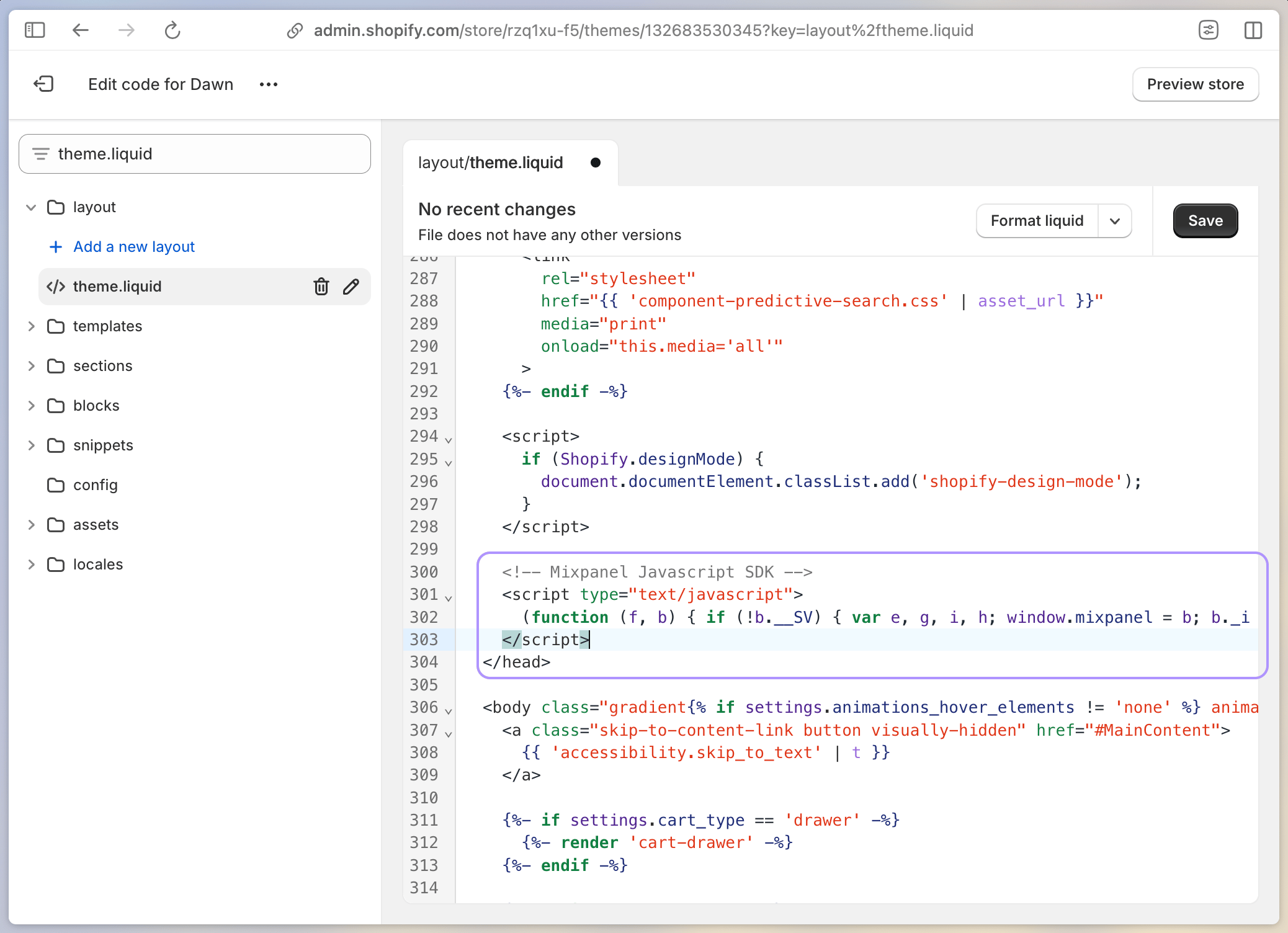
Open the theme.liquid file and scroll down to the closing
</head>tag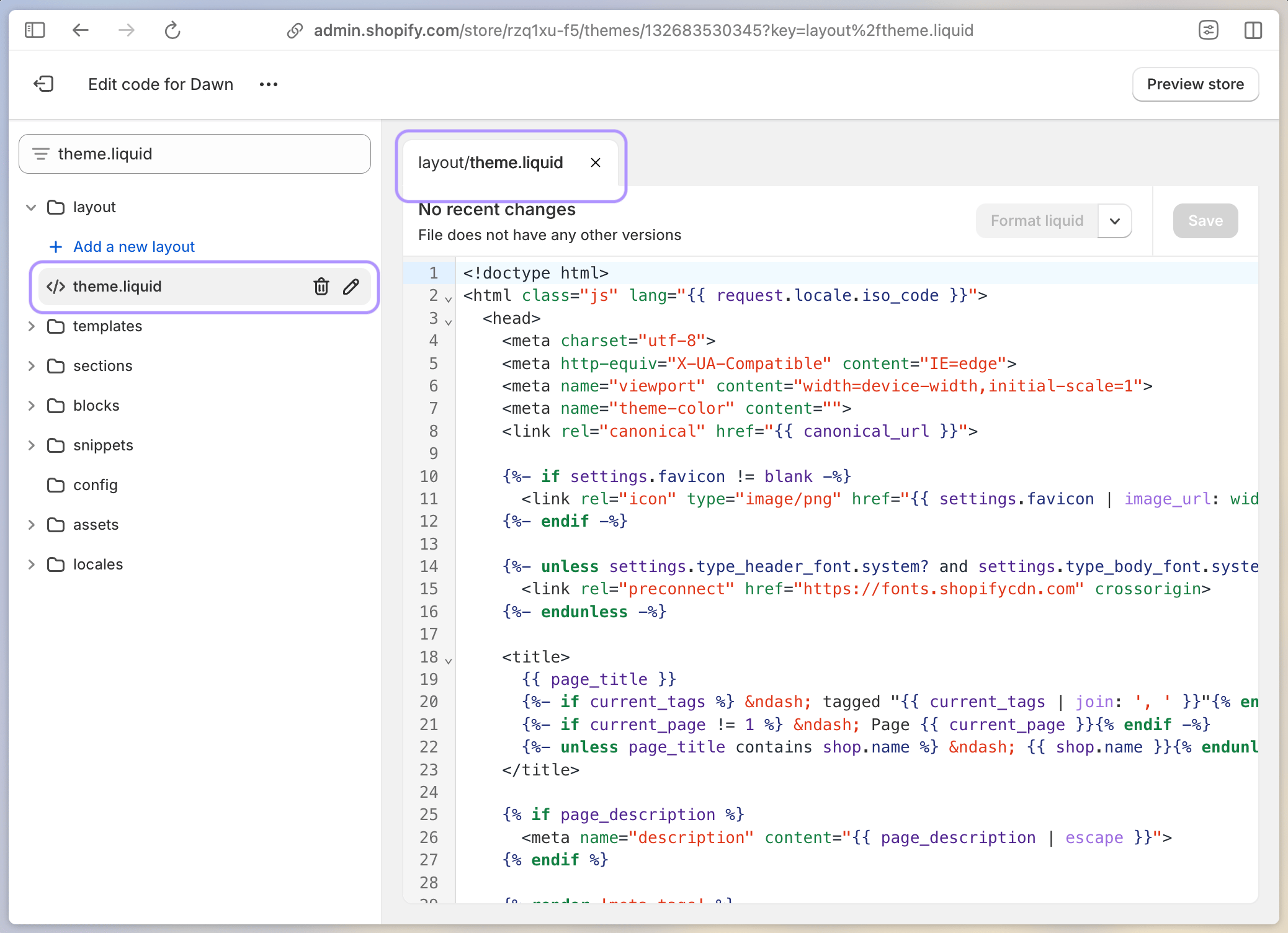
-
Paste the code snippet you just copied to add Mixpanel’s SDK (we’re almost there—we just need to do one more thing to enable it)
-
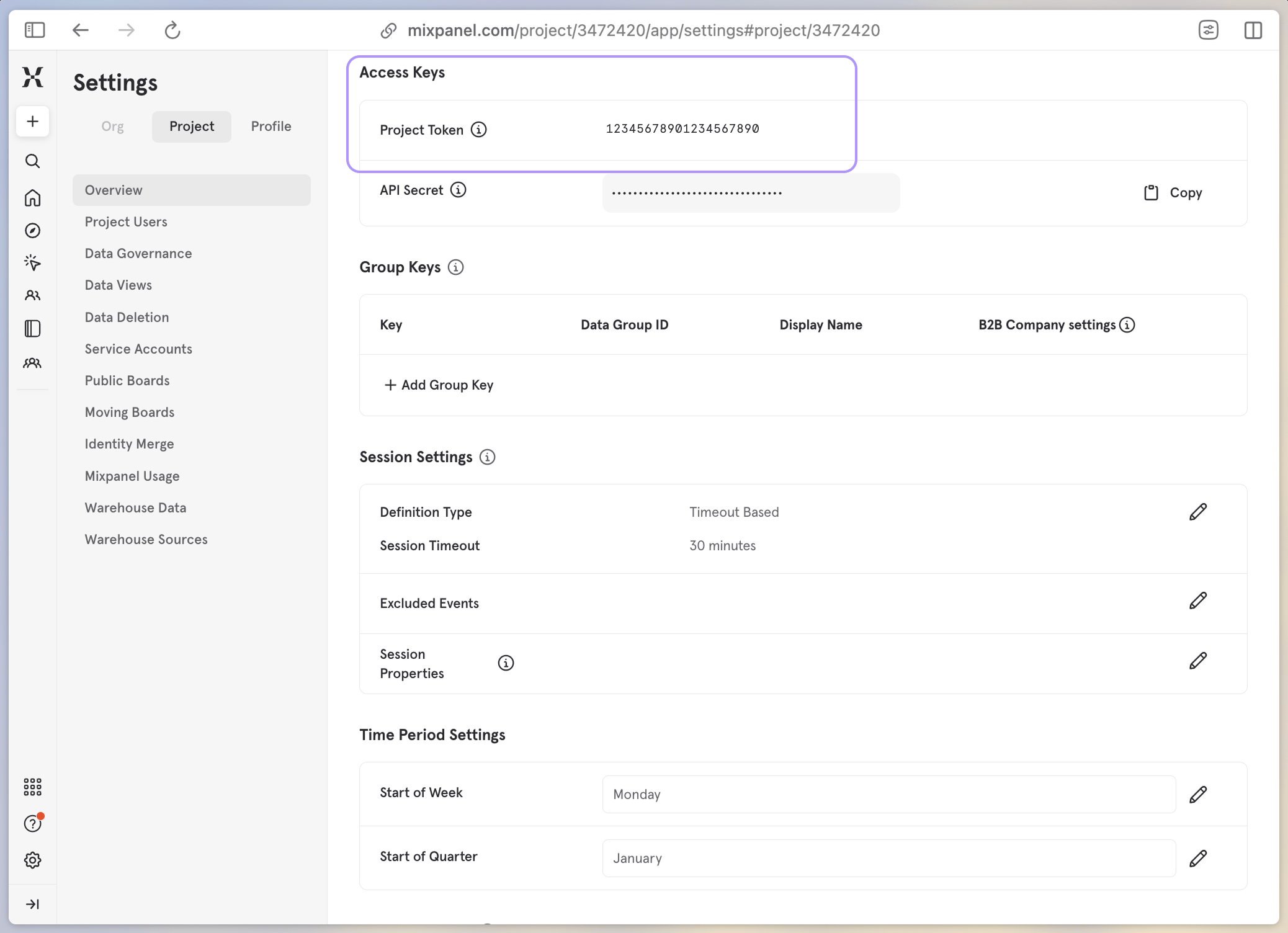
Go to your Mixpanel Dashboard > Project Settings and copy your Project Token under Access Keys
-
Back in your Shopify
theme.liquidfile, enable Mixpanel’s SDK by adding your Project Token to themixpanel.initcode (wrapped inscripttags). Altogether, it should look like this: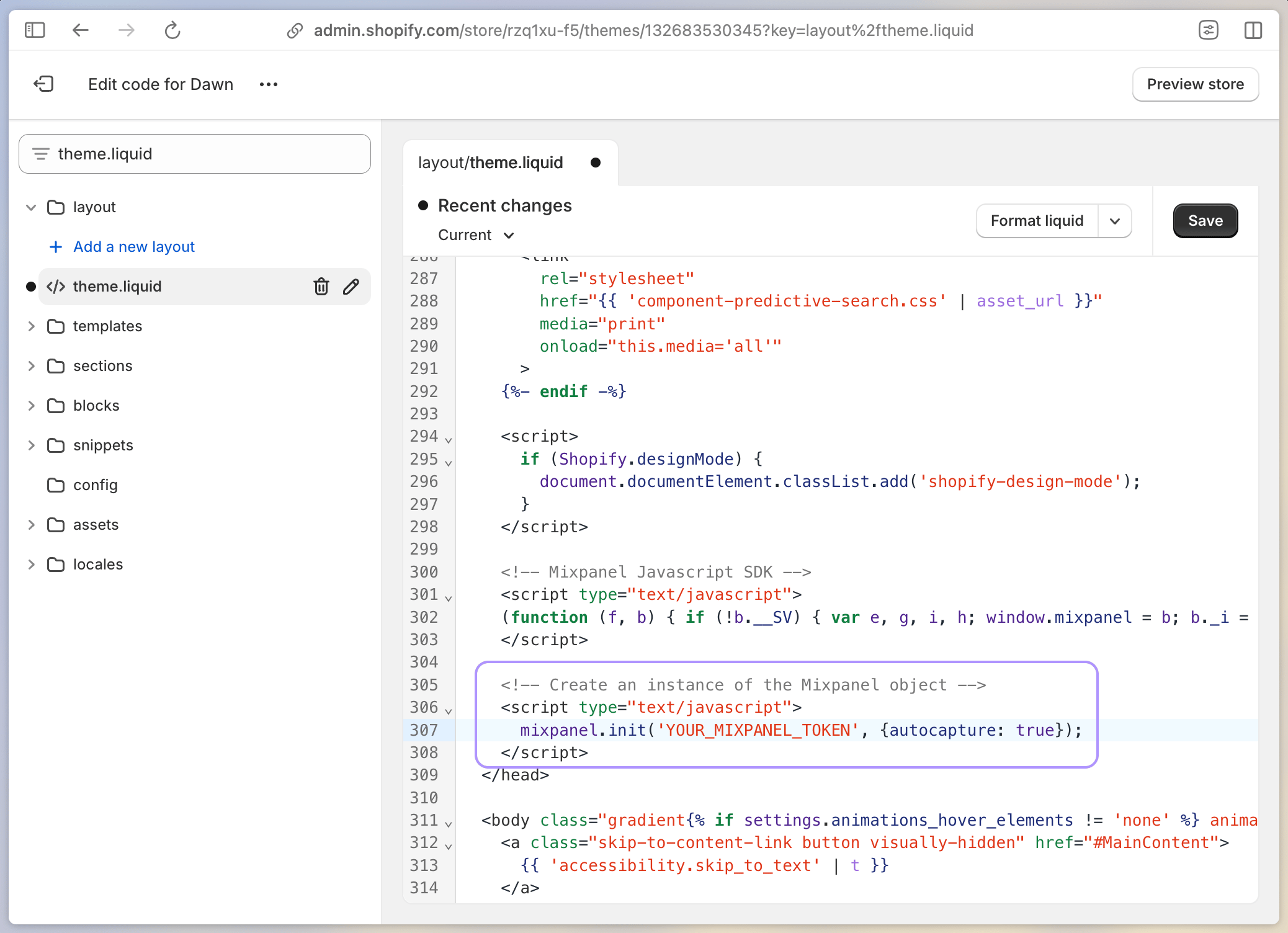
-
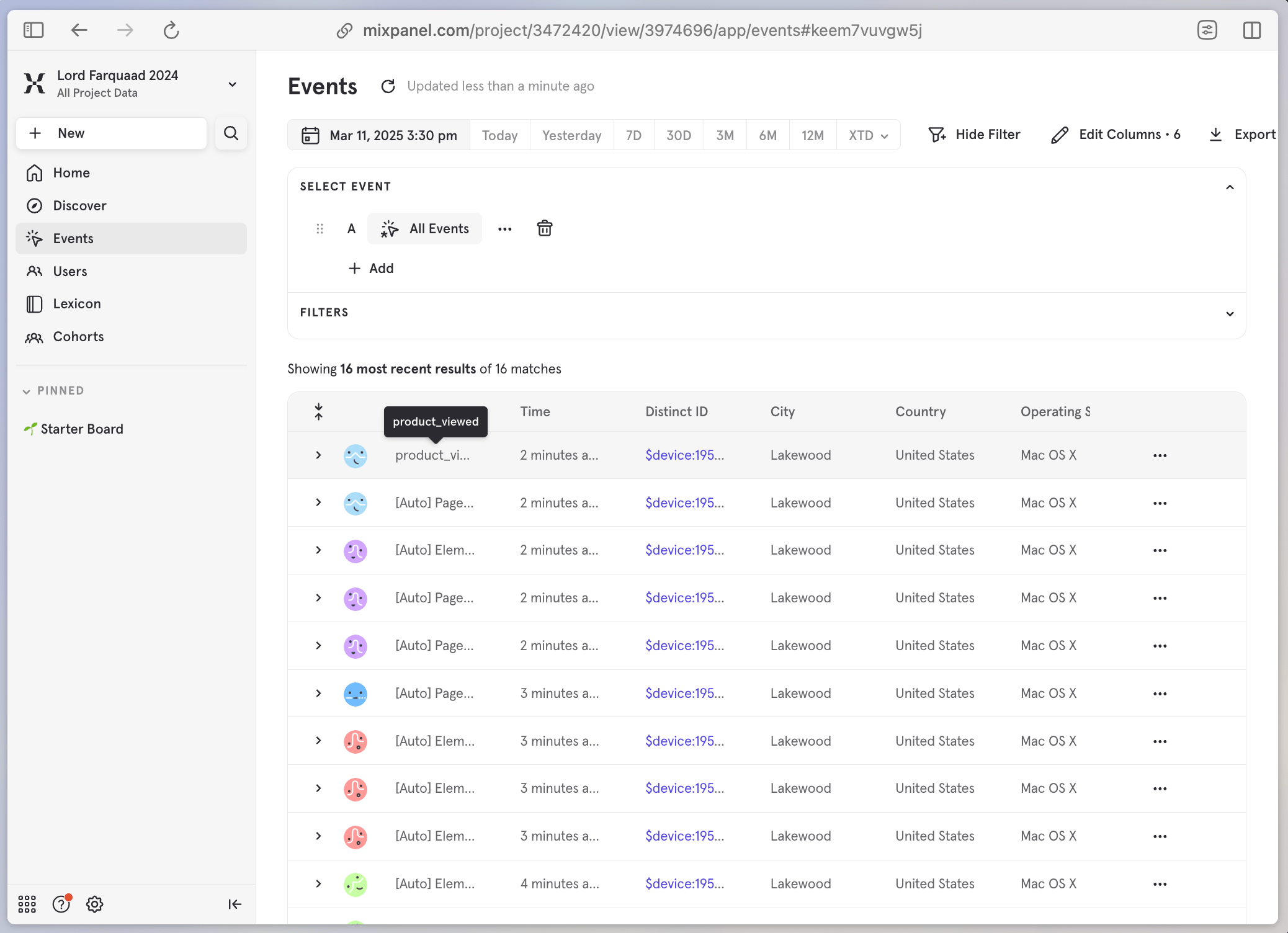
Confirm the configuration in your Mixpanel Project and enjoy a data pipeline flowing with
[Auto]tracked events!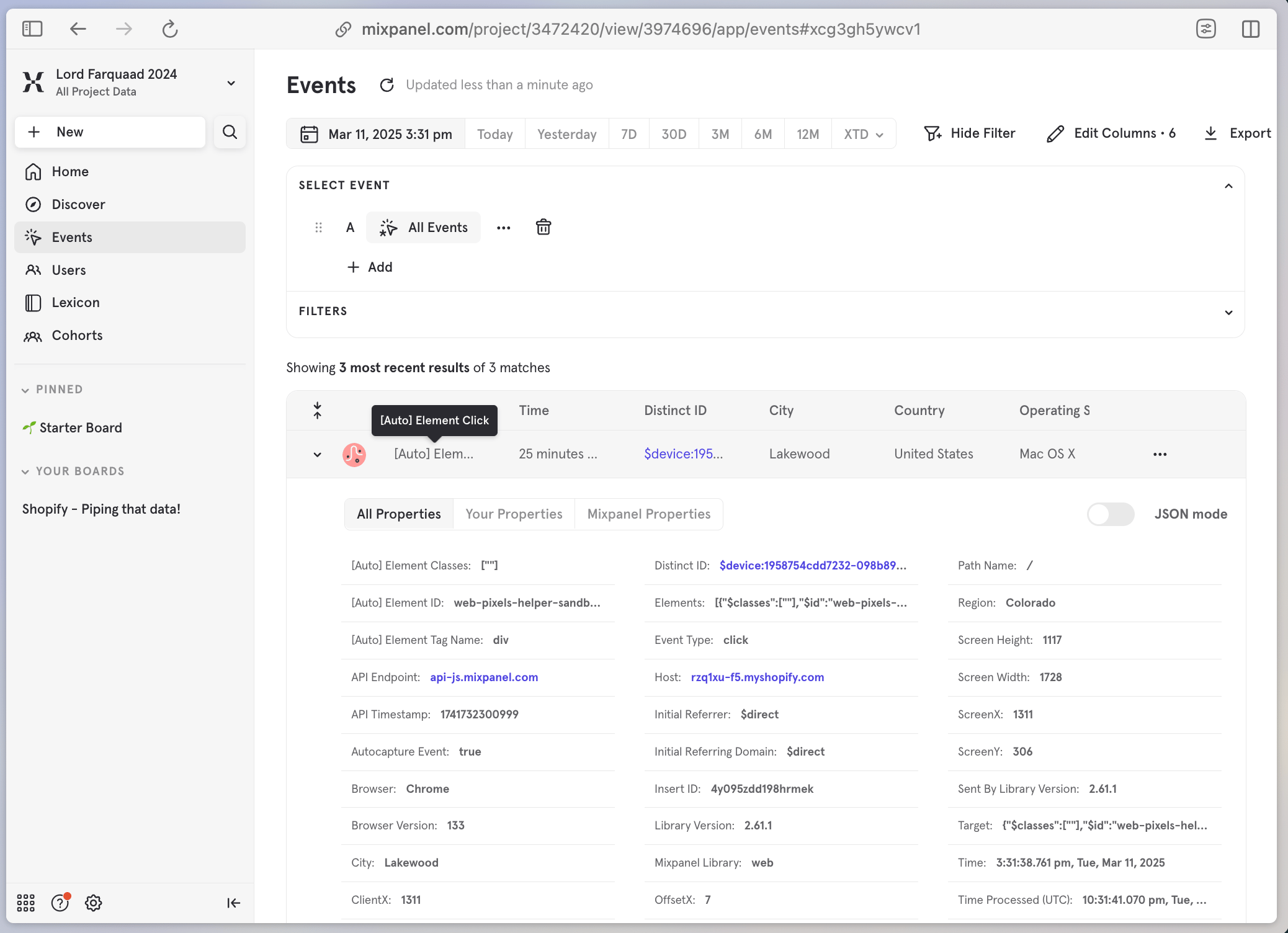
Mixpanel SDK + Shopify Web Pixel
Define your own customer events with an approachable setup-
Copy the Mixpanel SDK code snippet at the top of this guide and remove the
<script></script>wrapper tags -
Go to your Shopify Store > Settings > Customer Events, click “Add custom Pixel”, and name your Pixel something snazzy
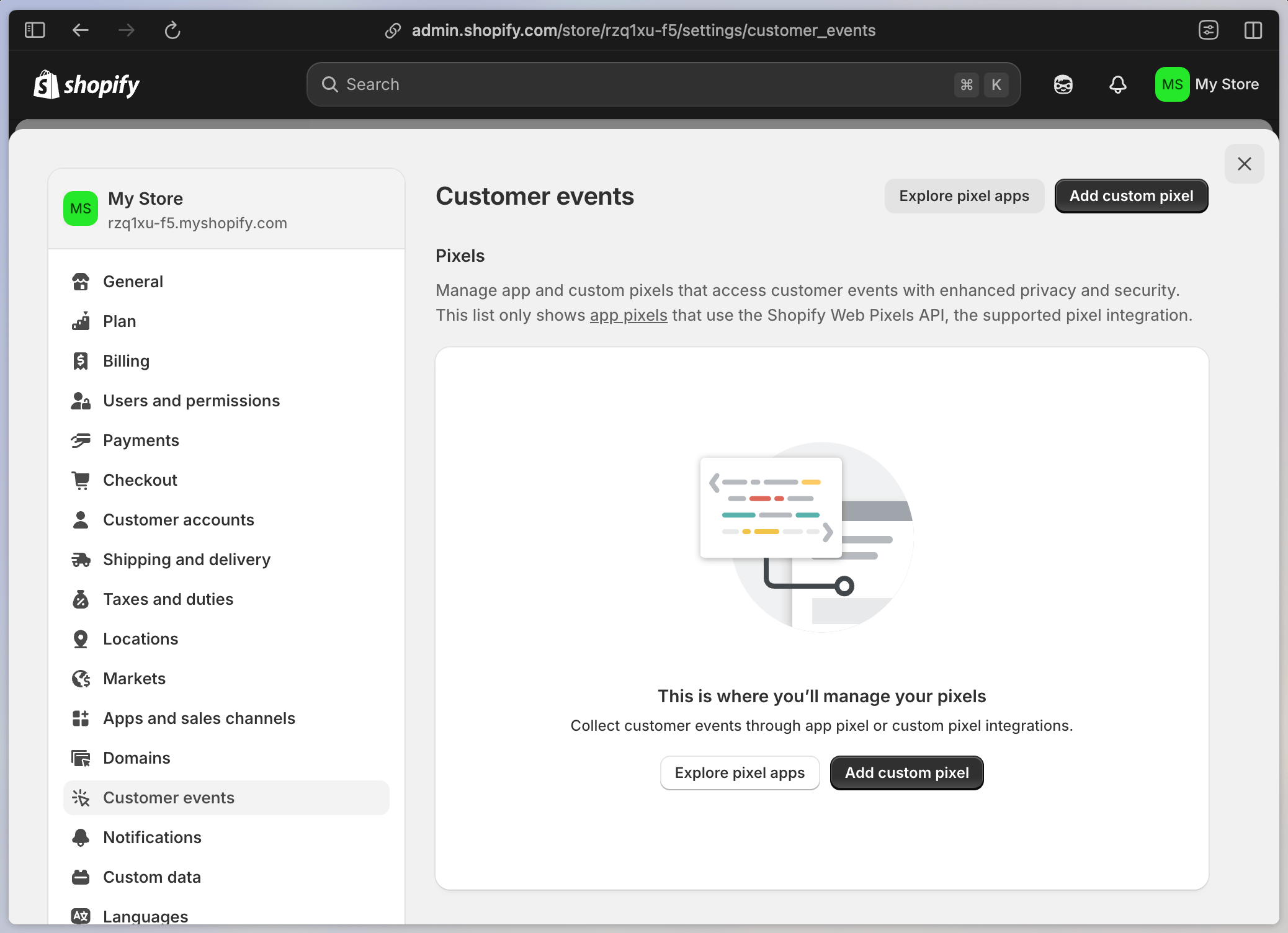
-
Add some code to get your Pixel up and running. This code is a three-part recipe that will:
- Subscribe to Shopify’s Pixel Event API
- Load the Mixpanel SDK snippet that you copied in step 1
- Define and track the customer events we’d like to collect (reference the complete property list in Shopify’s Web Pixel Event API docs)
Putting this recipe to work, here’s an example of how to trackproduct_viewedevents:And, another example of gatheringcheckout_completedevents: -
Click “Test” to confirm the Shopify Web Pixel API is connected (next, we’ll confirm Mixpanel is receiving those events from Shopify)
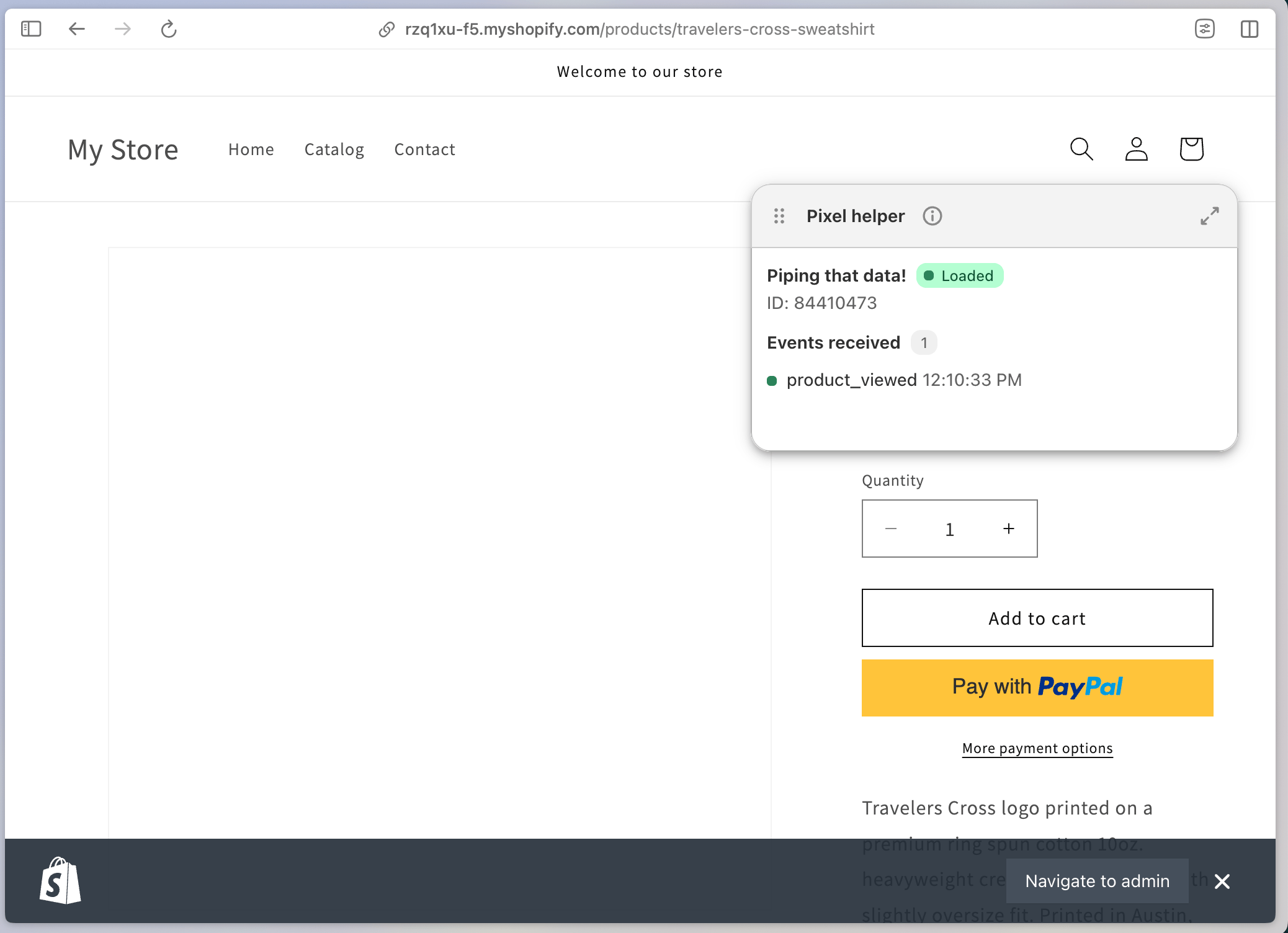
-
Connect the Pixel to release it into the wild
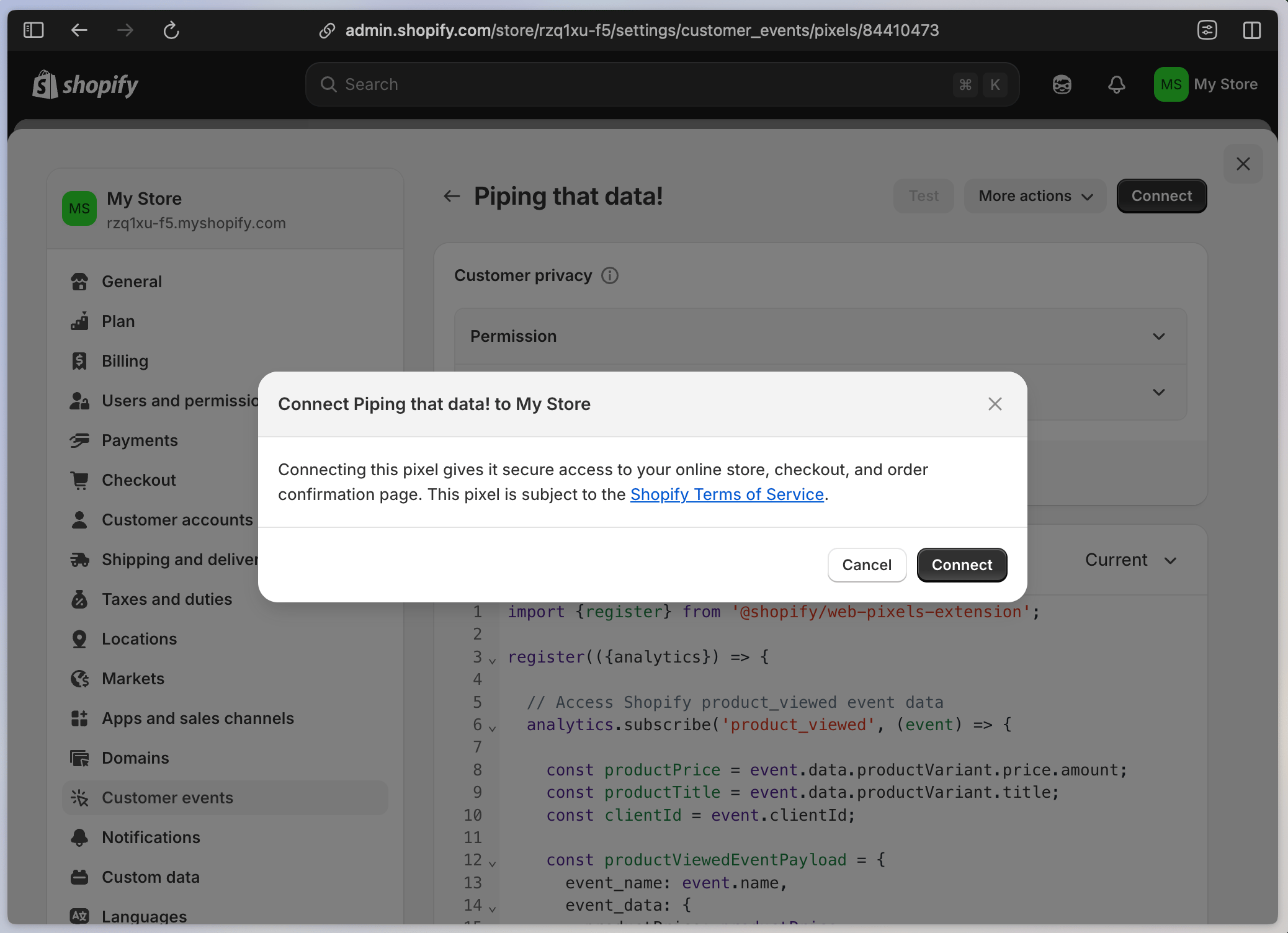
- Visit your Shopify storefront and trigger your custom events
-
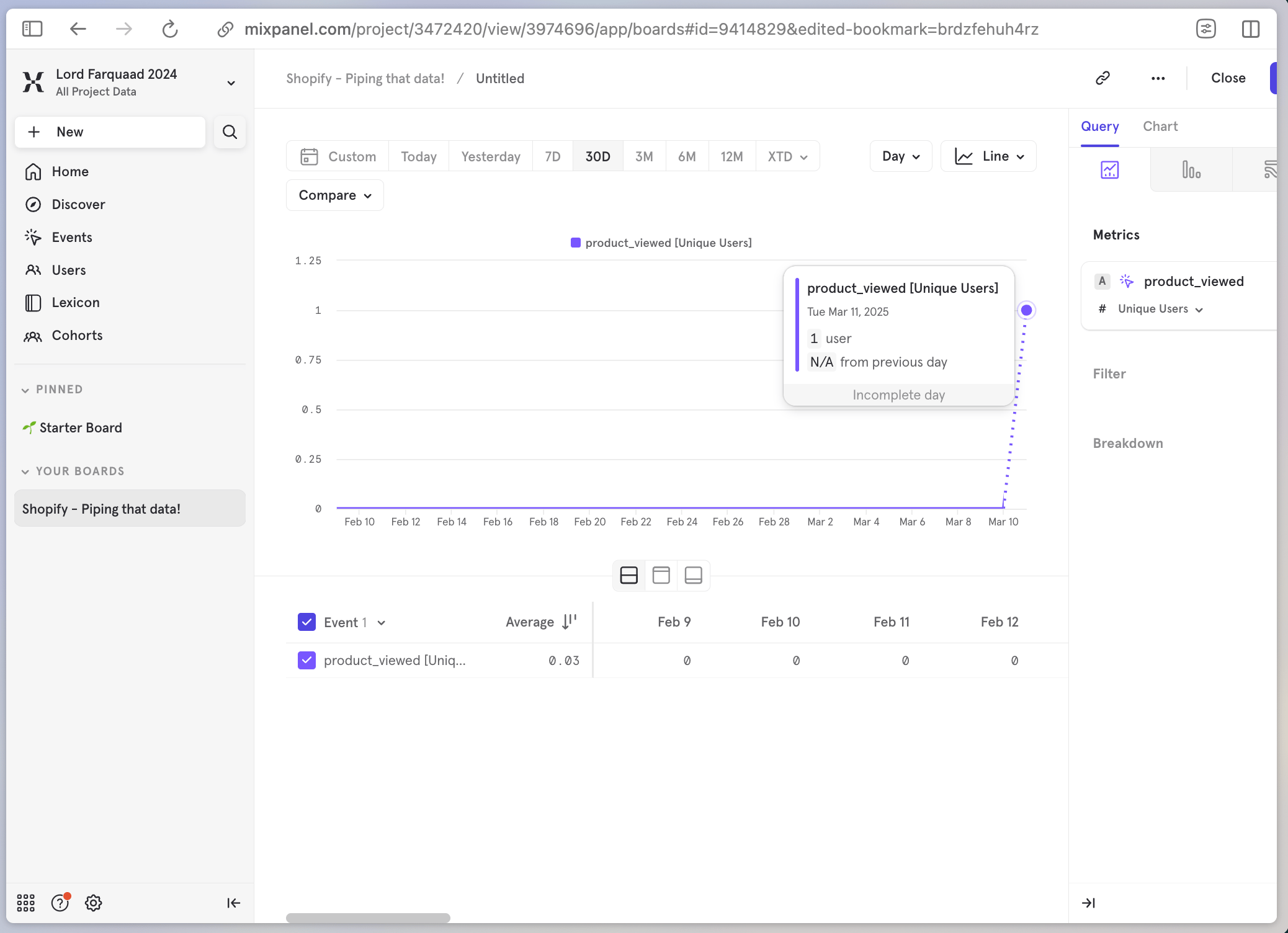
Verify data is flowing into your Mixpanel dashboard and enjoy tracking custom conversions in real time! 🎉